

Create a Sandbox Account
Create and log in to a Qualpay sandbox account.
This page provides instructions for creating and logging in to a Qualpay Manager portal sandbox account. Use the sandbox to test portal tools and to get API credentials for integrating and testing Qualpay APIs.
There are two types of Qualpay sandbox account available. You can create one or both:
- Partner - This supports tools normally used by an ISV providing services to merchants.
- Merchant - This supports payment tools for direct sales to customers.
The login page is the same for both accounts. You can log in to each account via its distinct username and password.
Partner
Note: This section is for ISV's integrating as partners to manage multiple sub-merchants. If you are an individual merchant, proceed to the Merchant section.
Create a Partner Sandbox Account
Follow the instructions below to create a Qualpay partner sandbox account:
-
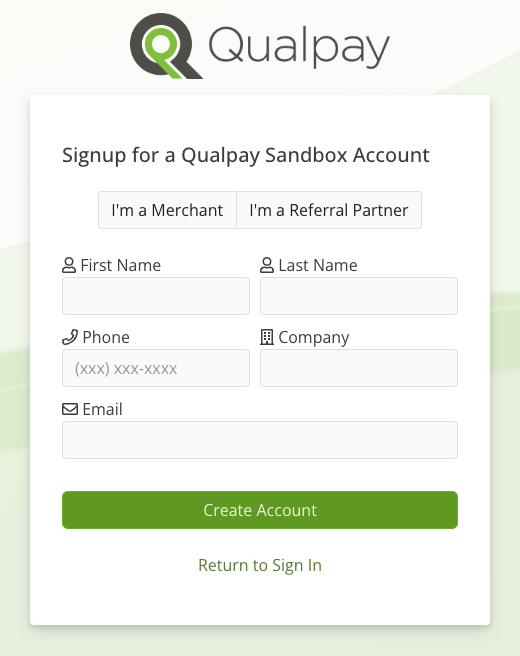
Go to the Qualpay sandbox signup page at https://app-test.qualpay.com/login/signup:
-
Select 'I'm a Referral Partner.' Enter your information and select 'Create Account.'
-
Check your email for two messages from Qualpay:
- Partner sandbox link - This email provides a link for the developer, or partner, sandbox. It also shows your login name and notification that an initial sub-merchant sandbox account has been set up for you and boarded to your partner account.
- Merchant sandbox link - This email provides a link to the sub-merchant sandbox account that has been set up under your new partner account. It also includes your login name for this account.
-
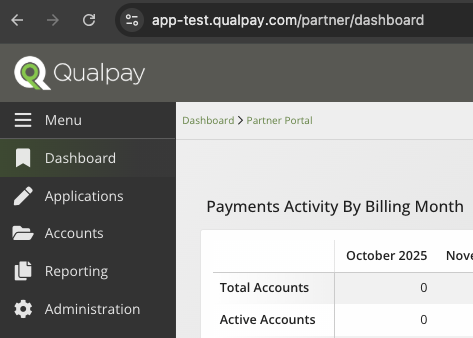
Select the partner sandbox link to set a password for your partner account. This sends you to your open partner portal:
-
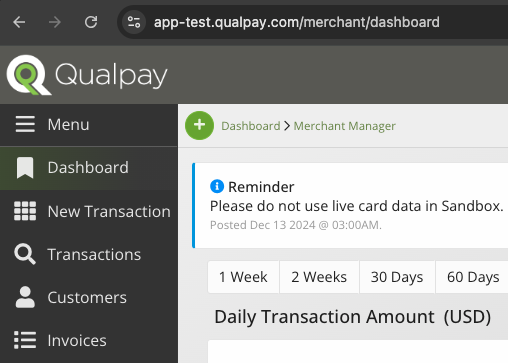
Select the merchant sandbox link to set a password for your sub-merchant account. This sends you to your open merchant portal:
Partner Sandbox Login
Follow the instructions below to log in to your partner sandbox and the associated merchant sandbox:
Partner Sandbox
To log in to the partner sandbox,
- Go to the Qualpay sandbox login page at https://app-test.qualpay.com/login/.
- In the 'User Name' field, enter your email address.
- In the 'Password' field, enter the password you set for your partner sandbox account.
This sends you to your open partner sandbox portal.
Sub-merchant Sandbox
To log in to the sandbox for the associated sub-merchant account,
- Go to the Qualpay sandbox login page at https://app-test.qualpay.com/login/.
- In the 'User Name' field, enter the merchant login name provided in the initial email.
- In the 'Password' field, enter the password you set for the sub-merchant account.
This sends you to your open Merchant Manager sandbox portal.
Merchant
Create a Merchant Sandbox Account
Follow the instructions below to create a Qualpay merchant sandbox account:
-
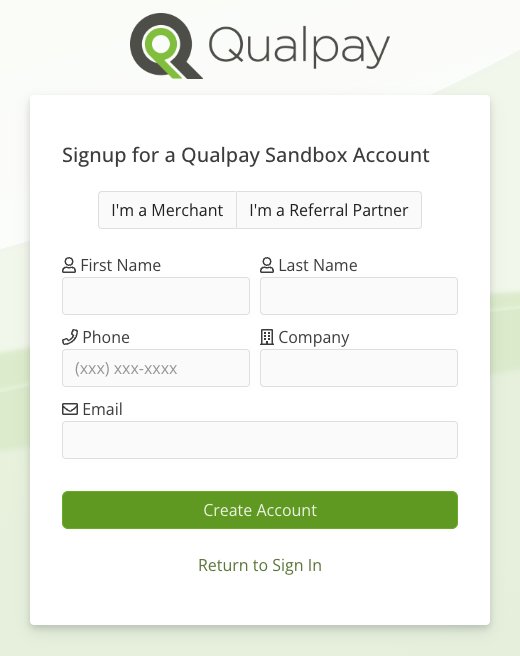
Go to the Qualpay sandbox signup page at https://app-test.qualpay.com/login/signup:
-
Select 'I'm a Merchant.' Enter your information and select 'Create Account.'
-
Check your email for a message from Qualpay. This email contains a link for your Merchant Manager sandbox account and your login name, which is the email address you provided.
-
Follow the sandbox link to the password recovery page for your sandbox, set a password for your test account, and save your username and password.
-
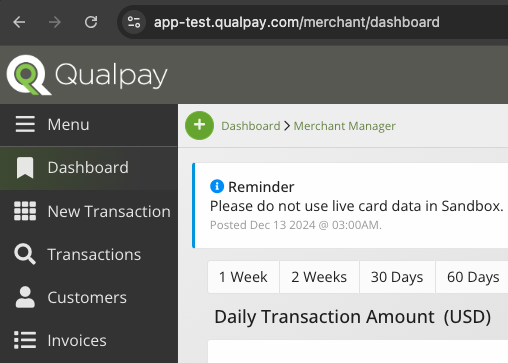
Creating a password sends you to your open sandbox portal:
Merchant Sandbox Login
Follow the instructions below to log in to your Merchant Manager sandbox portal:
-
Go to the Qualpay sandbox login page at https://app-test.qualpay.com/login/.
-
In the 'User Name' field, enter the email address you provided for your Merchant Manager sandbox account. In the 'Password' field, enter the password you set for the account.
This sends you to your open Merchant Manager sandbox portal.
Updated 8 months ago